Introduction
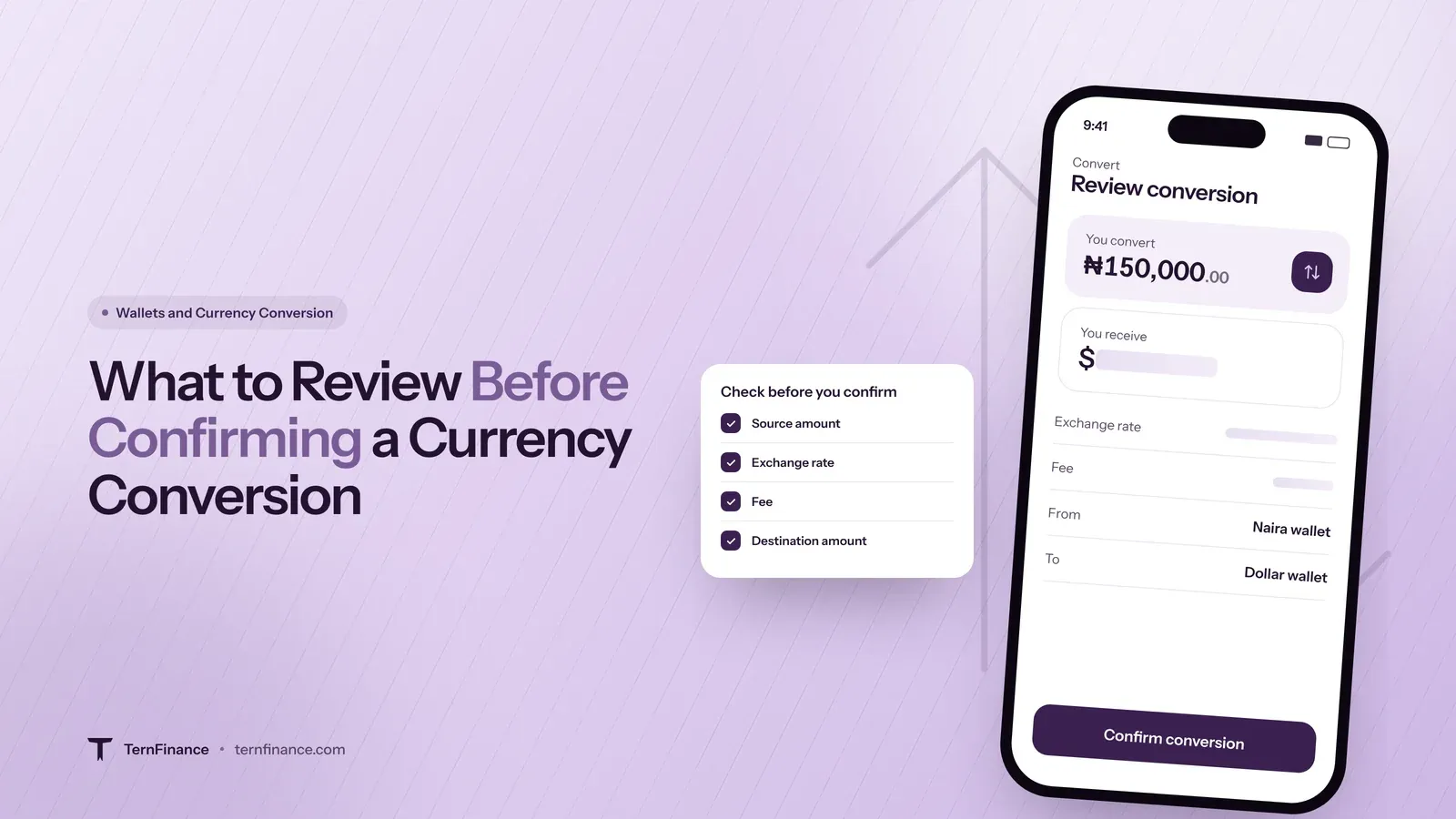
Currency conversion can affect how much money you have available for an international payment, transfer or other financial need. Even when you know the amount you want to convert, the final result depends on the rate and any applicable fees shown for that transaction. The most important habit is to review the full transaction before confirming. Check both the amount leaving your wallet and the amount expected to arrive. Before confirming, remember to focus on reviewing fees, limits and destination details.
1. Confirm the amount and currencies
Check the amount you intend to convert and the currencies involved. Make sure you are converting from the correct source balance into the intended destination currency. Confirm the source and destination wallet labels before proceeding.
2. Review the exchange rate shown
The exchange rate determines the relationship between the two currencies for the transaction. Rates can move over time, so review the rate displayed when you are preparing to convert rather than relying on a figure you saw earlier. Check the direction of the conversion.
3. Check all applicable fees
Review the fee information alongside the rate. If a fee is shown separately, understand whether it is deducted from the source amount or affects the amount received. If anything is unclear, consult the provider's published fee information before confirming.
4. Check the amount you will receive
The destination amount is one of the most useful figures on the review screen. Compare it with your intended outcome. If you are converting to fund a planned payment, make sure the expected amount is sufficient for that purpose.
5. Confirm the destination wallet
Make sure the converted funds are going to the correct wallet. This is particularly important when you maintain separate Naira and USD balances for different purposes. Do not confirm if the destination is not what you intended.
6. Keep a record of the transaction
After completing a conversion, review the transaction record. Keeping track of the date, amount, rate and fee can help you understand your currency activity over time and reconcile your financial records.
Understand the difference between the rate and the total cost
The exchange rate is important, but it is not the only figure that determines the outcome of a conversion. The fee, the amount being converted and the destination amount all matter. Two transactions with similar displayed rates may produce different outcomes if their fees or other terms differ. For a practical approach to monitoring currency movements, see planning around currency movements with rate alerts.
Always compare like with like. Check that the rate is shown for the correct currency pair and direction. Make sure you are not comparing a rate for converting Naira to USD with a rate for converting USD to Naira as if they were interchangeable.
If the conversion is intended to fund a specific payment, work backwards from the amount you need. Review whether the destination amount displayed is sufficient for the payment, while allowing for any separate merchant charges that may apply.
A worked example without assuming a live rate
Suppose you want to convert part of a Naira balance into USD to prepare for an online subscription. Before confirming, note the Naira amount being converted, the displayed rate, any fee and the USD amount expected in the destination wallet. The figures shown on the live transaction screen should be treated as the relevant figures for that conversion.
Do not use an old screenshot, a social media post or a rate mentioned in an earlier conversation as the amount you will receive now. Rates can change. The transaction review screen is where you should check the details applicable to the transaction you are about to make.
After conversion, check the completed transaction record. If the amount or destination does not match what you expected, review the transaction details and contact the provider through its official support channel.
Pause if the transaction details do not make sense
If the fee is missing or unclear, the destination wallet is not the one you intended, or the amount received appears inconsistent with the displayed details, do not proceed until you understand the information. A short pause is better than confirming a transaction you cannot explain.
For a broader explanation of managing both currency balances, see managing Naira and USD money in one place. You can also learn how rate alerts help you plan around currency movements, while remembering that alerts do not lock in a rate or predict future movements. The wider context is managing Naira and USD money in one place.
Conclusion
A good conversion decision starts with understanding the full transaction. Tern Finance is designed to show key details such as the rate, fees and destination wallet for review before confirmation, helping you make more informed decisions when managing money across Naira and USD.