Introduction
A money transaction should be understandable before you confirm it. Whether you are making a local transfer or converting between currencies, the review stage is your opportunity to check where the money is going and what the transaction will cost. Taking a moment to review the details can help prevent avoidable mistakes, such as sending money to the wrong destination or overlooking a fee or limit.
1. Check the amount you are sending
Confirm that the amount shown matches what you intend to transfer or convert. If the transaction involves currency conversion, make sure you understand which currency the amount refers to and which wallet it will leave.
2. Review the fees
Look for any fee displayed for the transaction. Understand whether it is charged separately or included in the amount being deducted. If the fee is unclear, consult the product's fee information or support before proceeding. Do not assume every transaction has the same fee.
3. Check the applicable limits
Transaction limits may apply depending on the account, payment type or transaction. Review the limit information relevant to the action you are taking. Understand whether previous activity affects the remaining limit.
4. Confirm the destination
Review the recipient, destination account or destination wallet carefully. Check names and identifiers against the information supplied by the intended recipient. Pause if any information does not match.
5. Review the final amount and currency
For conversions, check the exchange rate and the amount expected in the destination wallet. For transfers, check the amount the recipient is expected to receive where this information is provided. The final review should give you a clear picture of the transaction.
6. Keep your transaction records
After completing a transaction, review the confirmation and keep the details available for your records. If something looks incorrect or unfamiliar, contact the provider through its official support channel and provide the relevant transaction reference. To review how transaction costs affect spending over time, consider understanding month-on-month spending changes.
Use the review screen as a final decision point
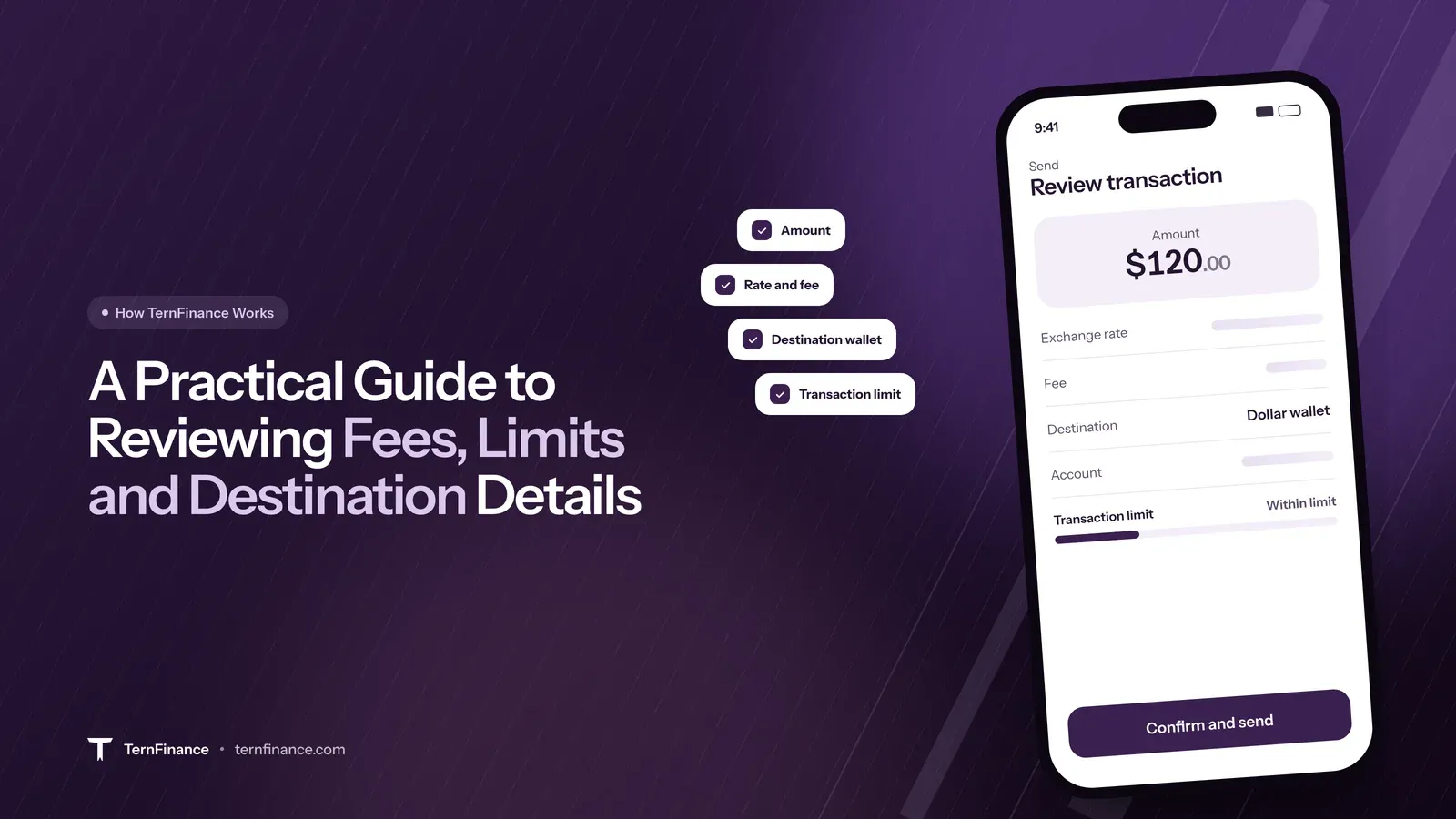
Before confirming, read the transaction from top to bottom. Check the source amount, currency, recipient or destination wallet, fee, rate where relevant and any displayed limit information. Make sure the information describes the transaction you intend to make.
Pay particular attention to the destination. Names and wallet labels can look similar, and a familiar recipient name does not remove the need to check the account or destination details. If the information is incomplete or inconsistent, stop and verify it before proceeding.
If the transaction involves a conversion, compare the amount leaving the source wallet with the amount expected in the destination wallet. If it is a transfer, confirm the recipient details and the amount the recipient is expected to receive where that information is shown. For conversion-specific checks, see what to review before confirming a currency conversion.
Understand what each detail tells you
The amount tells you how much you are instructing the app to move. The fee tells you whether an additional cost applies. The rate explains the currency relationship used for a conversion. The destination tells you where the funds are intended to go. A limit indicates whether the transaction is within the applicable usage rules. For the wider context of holding and using both currencies, see managing Naira and USD money in one place.
These details should be read together. A transaction can have a correct amount but an incorrect destination, or a correct destination but a fee you did not expect. Reviewing each field separately and then considering the complete transaction helps reduce avoidable mistakes.
Do not treat a review screen as a substitute for checking recipient information supplied outside the app. If someone sends you new account details, verify them through a trusted channel before sending money.
After confirmation, retain the record
Once the transaction is complete, review the confirmation and keep the reference, date, amount and destination information. If the status is pending, follow the provider's guidance on processing times rather than submitting another transaction immediately.
For more detail on the currency side of the review, see what to review before confirming a currency conversion. If you want to understand how Naira and USD balances can work together, read managing Naira and USD money in one place.
Conclusion
Reviewing fees, limits and destination details is an important part of managing money responsibly. Tern Finance is designed to provide a transparent transaction review, showing relevant information such as rate, fees, destination wallet and limits before confirmation, so users can make a more informed decision.